Virtual care

Virtual Care at CHEO

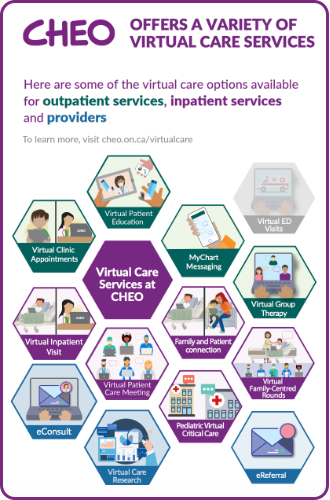
CHEO offers a wide range of virtual care services supporting quality and timely patient care within outpatient and inpatient services. This includes video visits, telephone and direct messaging with CHEO providers through MyChart. Some of our virtual services include E-Referrals for community providers, virtual clinic appointments, virtual group therapy and virtual care meetings.

Our priority is to deliver high quality care to all patients and families. Masks, physical distancing and virtual care may have changed how we do things, but they haven’t changed our care and compassion for children, youth, families, our community and each other.  We offer virtual care services because we believe virtual care can be an equal or better way to deliver care under certain circumstances and for some patients.

Read more about virtual clinic appointments and how to prepare for yours

Virtual clinic appointments

Many clinics at CHEO are offering telephone and video appointments. Sometimes when we call families, it shows up as a private number. If you receive a call from a private number, at a time close to when you have a scheduled CHEO appointment, consider answering as it may be your care team calling.

For MyChart users:

Before your scheduled clinic appointment, you will receive appointment information in MyChart that outlines how to connect to your care provider. Please read this information and make sure you are able to login to MyChart and you have the correct app/recommended browser installed on your computer/device before your appointment.

If you are not a MyChart user:

You will receive information about how to connect by email 24h before your appointment.

If you do not receive the email please check your junk mailbox before calling the Scheduling Hub at 613-737-7600, ext. 1011.

All virtual video appointments at CHEO are done using secure, encrypted telehealth networks (Ontario Telemedicine Network or Zoom). CHEO is not recording these visits but they will be documented in the patient chart.

CHEO uses a Zoom license that is secure and compliant with the Patient Health Information Protection Act (PHIPA). Our staff take additional steps to increase security, including making sure we are using the most up-to-date version, are conducting meetings in private rooms and not sharing the teleconference link with anyone else.

For the most secure connection, we encourage you to connect for your virtual appointment using the latest version of the Zoom app on your desktop, laptop, tablet or mobile device.

  • Make sure you are in a quiet, private place where you can speak comfortably. Please ensure your child/the patient is present for the appointment.
  • Please follow any pre-appointment instructions that were provided to you. This could include having a list of current medications readily available, ensuring a photo of your child’s condition is uploaded via MyChart in advance of the appointment, etc.
  • Plan to be in one location (i.e. not walking or in a moving vehicle) throughout the appointment.
  • Prepare any questions you have for your CHEO clinician, and have them in front of you during your appointment.
  • Be in full view of the camera and try to sit in a location without windows or bright lights behind you.
  • Try to raise your device so it is at eye level during the visit by placing it on top of a stack of books until it's at the right height. Make sure that the camera and speakers aren't being blocked.

  • Test the device you will be using before the appointment. You can test your device with Zoom at this link https://zoom.us/test. This will help you troubleshoot audio and video issues ahead of time and ensure that your appointment starts on time. If you are not able to connect, contact our Scheduling Hub at 613-737-7600, ext. 1011.

  • Before your appointment, close any unnecessary programs on your device/computer.

  • Try to use your own device or that of a trusted adult so that others cannot access or interrupt your appointment.

  • If possible, use an Internet connection (wired or WiFi) or if not, be prepared to use cellular data.

  • For MyChart users, confirm that you are able to login to MyChart.

  • Five to ten minutes before your appointment, join the meeting. This will give you a few minutes to make sure the audio and video are working.

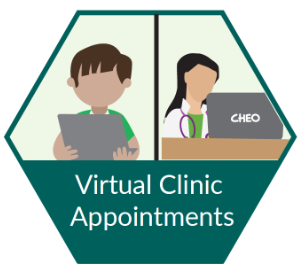
Green hexagon showing a patient on a laptop on one side, and a doctor on their laptop on the other side

Need help?

If you experience technical difficulties preparing for, connecting to or during your CHEO clinic appointment, please contact the Scheduling Hub by calling 613-737-7600, ext. 1011.

Blue question mark

Contact Us

City Hall
123 Conestoga Drive
Glasgow G1 5QH

111-222-3333
mail@example.com

Sign up to our Newsletter

Stay up to date on the city's activities, events, programs and operations by subscribing to our eNewsletters.